Just say what you spent.
Tell Budget Buddy “I spent 20 on dinner with friends” and it’s logged in the right category before your phone is back in your pocket. No forms. No bank login. No money stress.
- Free to download
- Voice or text
- No bank login

For everyone who’s ever given up on a budget app.


Try it, right here
Type it like you’d text a friend.
Buddy picks out the amount, what it was for and the right category. No dropdowns, no forms. Go on, tell it about the last thing you bought.
Buddy
Your money buddy
I spent 20 on dinner with friends

Got it! $20 filed under Eating Out 🍽️
Or tap an example:
This mini demo runs right in your browser. The real Buddy is a lot smarter.
Meet Buddy
The budget app that does the boring part for you.
Logging, sorting, adding up. Buddy takes care of the chores, so you can get on with your day and still know exactly where your money went.
01Auto-sorted
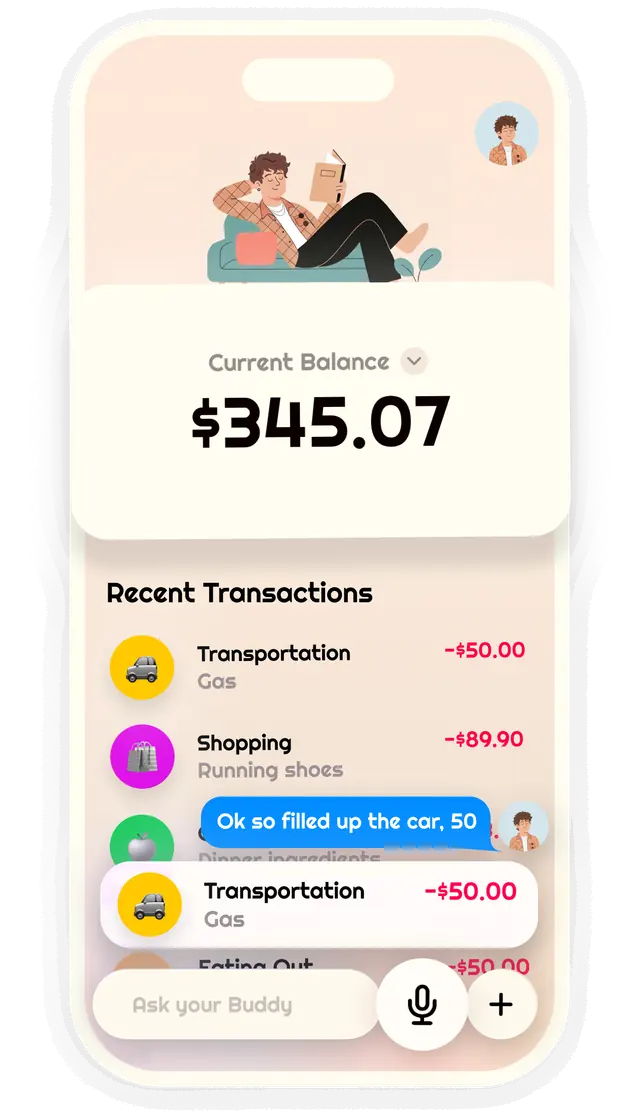
Buddy sorts every expense for you.
“Ok so filled up the car, 50” lands in Transportation, labeled Gas. Amount, purpose and category, all figured out. You’ll never scroll through a category list again.
02Apple Pay
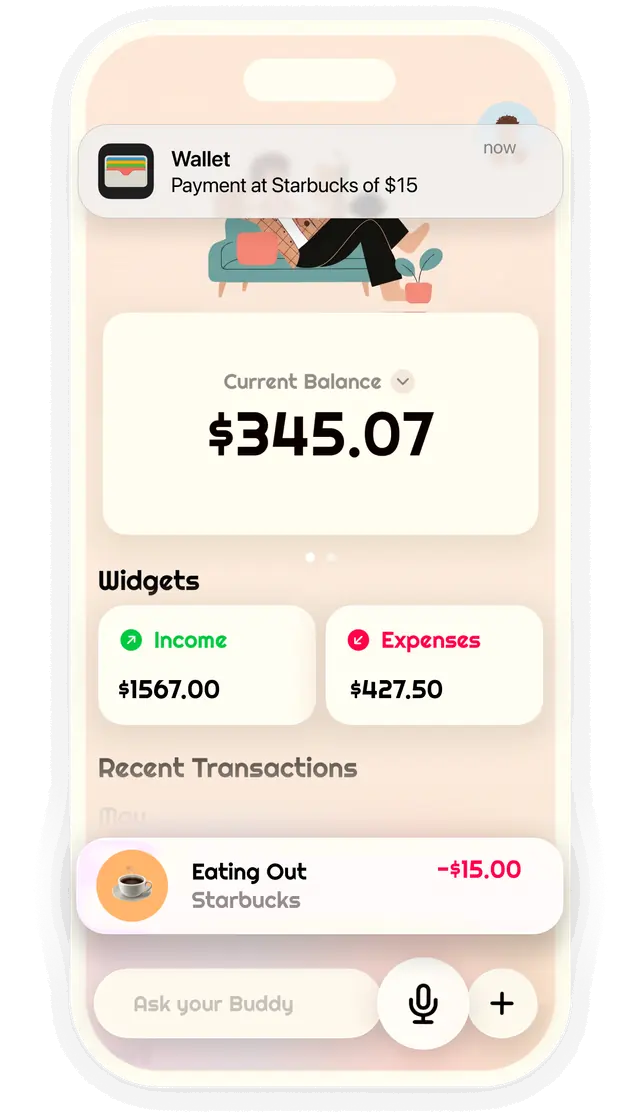
Apple Pay? Already logged.
Add the Budget Buddy shortcut once. From then on, every Apple Pay payment shows up on its own, with the place, amount and category already filled in.
Requires iOS 27 and a card in Apple Wallet.
03Ask Buddy
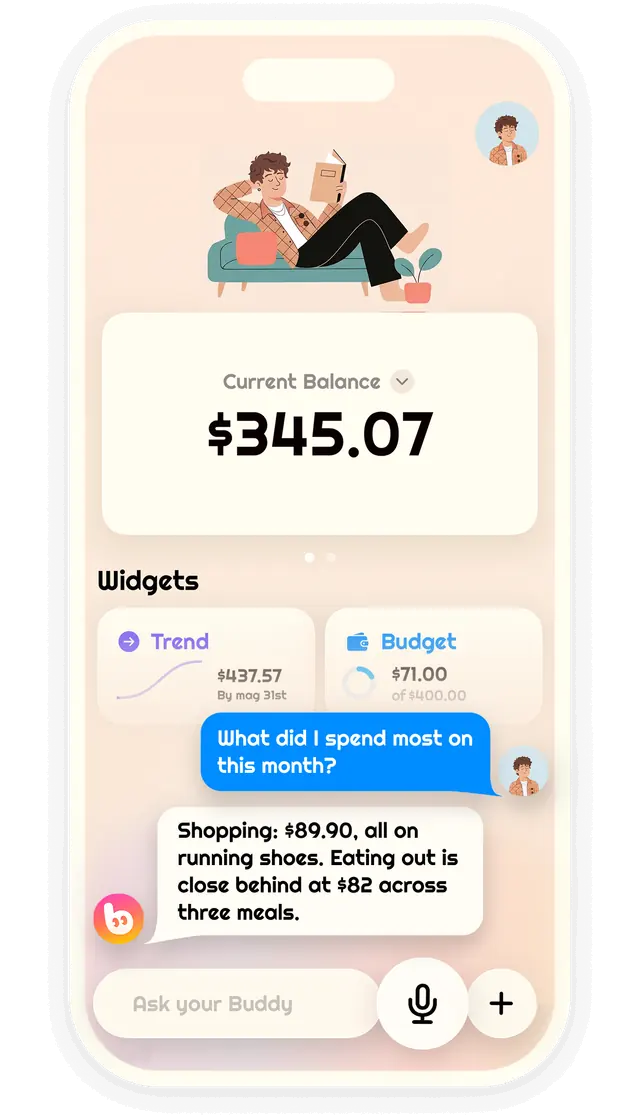
Ask anything about your money.
“What did I spend most on this month?” Get a straight answer in plain words, plus weekly recaps and daily tips that actually help.
04At a glance
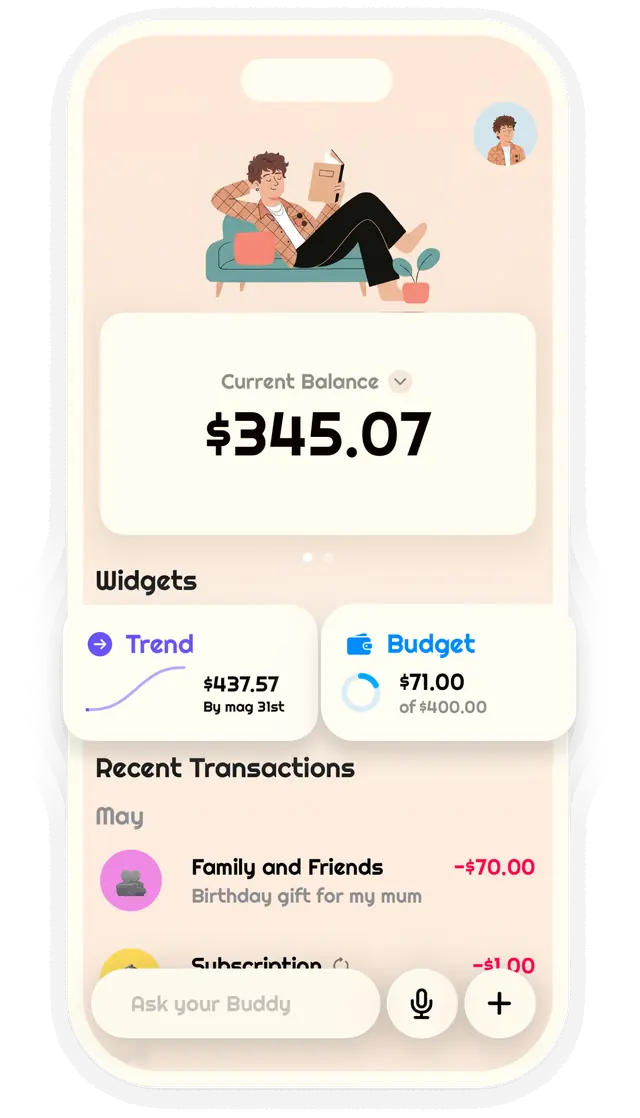
See your budget at a glance.
Your balance, your spending trend and what’s left of your budget, together on one calm screen. Plus a gentle heads-up if you go over.


The Buddy difference
No bank login. No spreadsheets.
Most budgeting apps want your bank password before they’re any use. Buddy just needs a sentence.
The usual budget app
- Link your bank account first
- Clean up cryptic bank transactions
- Tap through a form for every coffee
- Squint at charts and spreadsheets
Budget Buddy
- No bank connection needed
- Every expense sorted for you
- One sentence and you’re done
- Answers in plain words

Calm by design
Money stuff, minus the stress.
Most finance apps look like a trading floor. Budget Buddy is warm, quiet and clean, so checking your spending feels like a deep breath, not a pop quiz.
- Soft colors, zero clutter
- Plain words, no finance jargon
- Weekly recaps instead of daily guilt
- Freeto download on the App Store
- Unlimitedlogging on every plan
- 10languages, from Italian to Japanese
Questions
Good questions, quick answers.
Still curious? Email us at hello.budgetbuddy.app@gmail.com and a real person will get back to you.
What is Budget Buddy?
Budget Buddy is an AI expense tracker for iPhone. Instead of filling out forms, you tell Buddy what you spent by typing or speaking, and it logs the expense with the right amount and category.
How does AI expense logging work?
Write or say something natural, like “I spent 20 on dinner with friends.” Buddy picks out the amount, what it was for and the best category, then files it for you. No dropdowns, no manual sorting.
Do I need to connect my bank account?
No. Budget Buddy never asks for your bank login. You log expenses by voice or text, and Apple Pay payments can be logged automatically with the Budget Buddy shortcut.
How does automatic Apple Pay logging work?
Add the Budget Buddy shortcut once. After that, payments you make with Apple Pay are logged automatically, with the merchant, amount and category filled in. It requires iOS 27 and a card in Apple Wallet.
Is Budget Buddy free?
Yes. Budget Buddy is free to download and logging is unlimited on every plan. Optional Pro plans are available as in-app purchases.
Which iPhones does Budget Buddy work on?
Budget Buddy needs iOS 26 or later. Buddy’s AI runs on Apple Intelligence, so it needs an iPhone 15 Pro or newer with Apple Intelligence turned on.
Is Budget Buddy available on Android?
Not at the moment. Budget Buddy is available for iPhone on the App Store.
Which languages does Budget Buddy support?
Budget Buddy is available in English, Spanish, French, German, Italian, Portuguese, Japanese, Korean, and Simplified and Traditional Chinese.

Stop tracking. Start talking.
Download Budget Buddy for free and let your new money buddy handle the boring part.

Free on the App Store · iPhone with iOS 26 or later
